Know what to say next.
Aside takes your meeting notes on your Mac. When you want it to, it also keeps the call on course from just under your camera.
Mid-call, Sarah asks where you are on SOC 2. Aside’s pill, under the notch, shows your prepared answer straight away. When you reply, a goal dot fills in and the next move appears: ask who signs off above Sarah. Afterwards, the meeting page has the summary, goals and next steps.
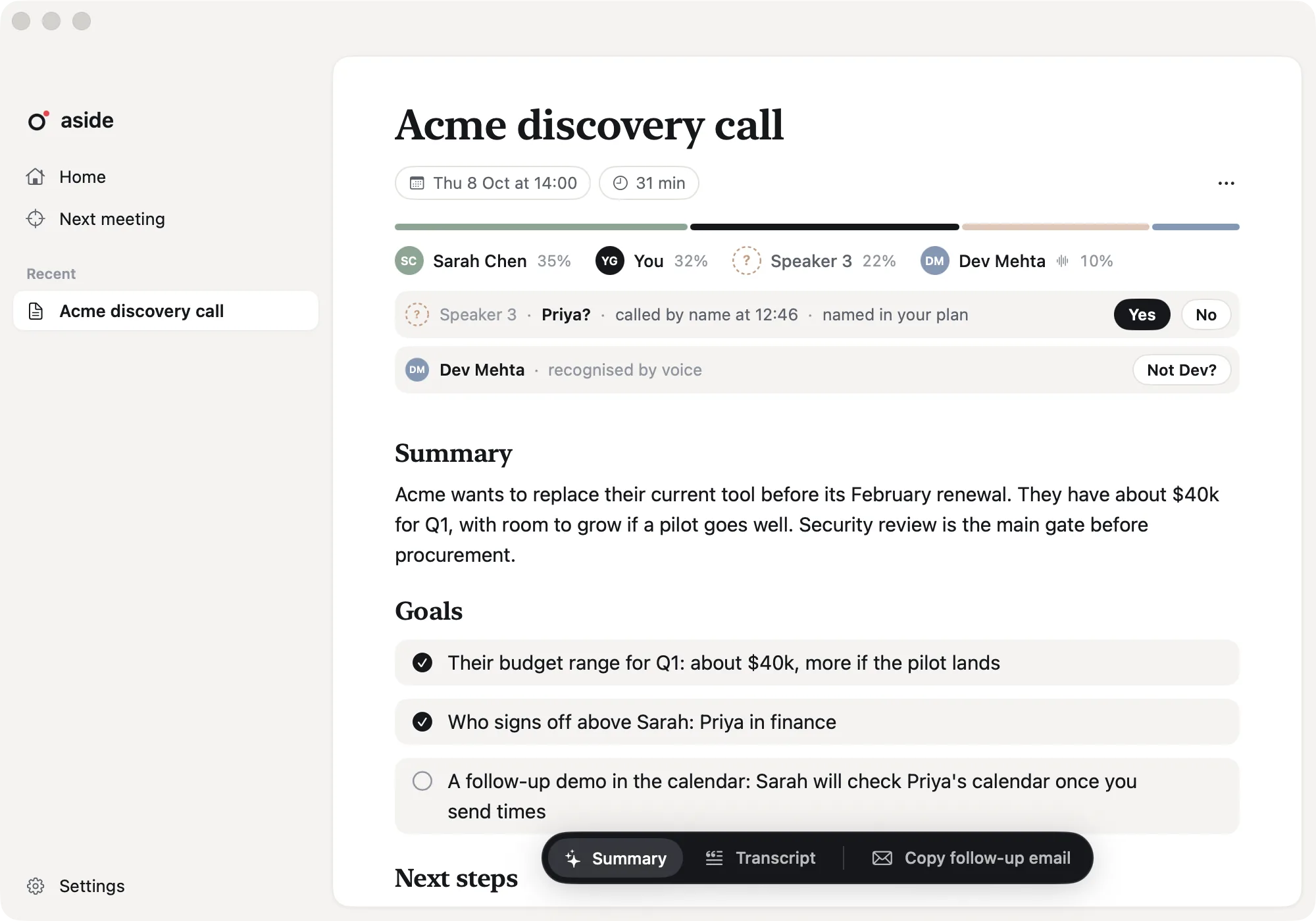
Everything from the call, written down.
Aside records on your Mac and writes up every call. Guidance is there when you want it.
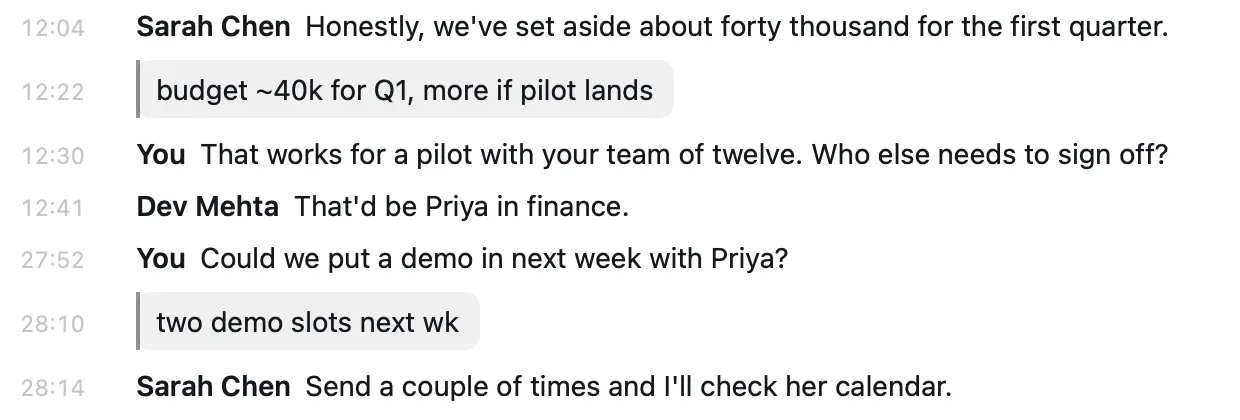
Notes from any app
Press ⌃⌥N, type a line, press Return. Your note lands in the transcript where it happened.
How notes work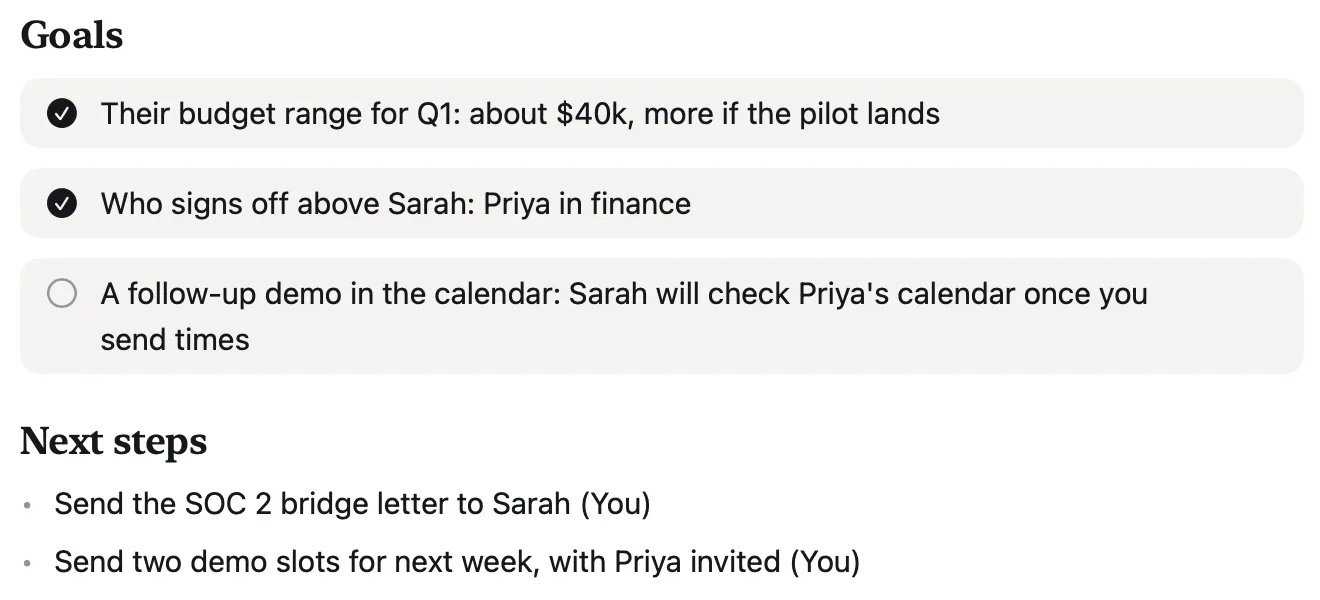
A write-up when you hang up
A summary, the goals you reached, next steps and a follow-up email to copy.
See the write-up

Guidance, when you want it
Your goals are dots that fill in. When they ask, your answer is already there.
How guidance worksZoom · Google Meet · Microsoft Teams · Slack · FaceTime
No bot in the call
Aside hears your mic and your Mac’s sound. Nobody gets a join request, in any call app.
How it records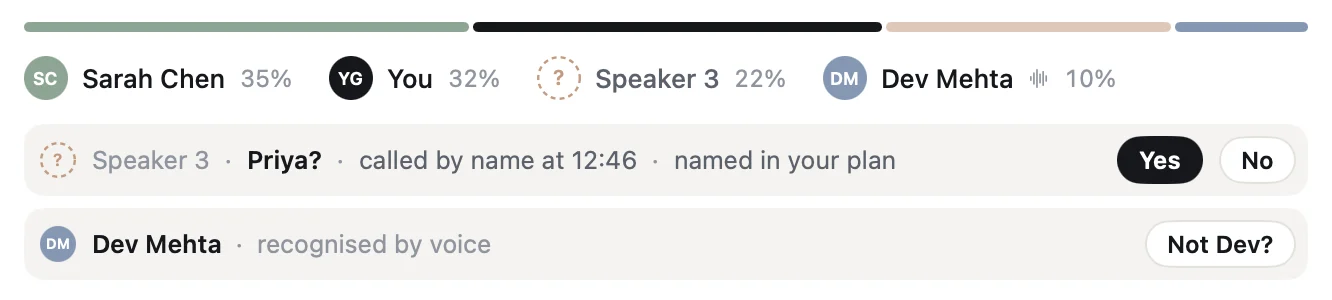
Speaker names
Aside suggests who’s speaking from clues in the call, like a name said aloud, and shows you why. Voices you’ve confirmed before are named for you, and one click undoes it.
Privacy
Your audio stays on your Mac.
Your audio never leaves your Mac, Aside sends only the text needed to help you, and nothing is used to train AI models.
An on-device speech model turns the call into text. Audio is never uploaded.
Guidance and write-ups send your plan and the part of the transcript they need.
Nothing you record or write is used to train AI models, ours or anyone else’s.